
Every day, health and treatment clinics lose bookings they never see. A potential client reads about your services in the evening, feels ready — but finds only a phone number that's closed until morning. By nine o'clock the motivation is gone. Friction costs bookings.
If you already use Konfidens for appointment management, you already have the data needed to remove that friction. What's missing is letting customers book themselves — where they already are: on your website. This is exactly what SW Konfidens Booking solves.
SW Konfidens Booking is a WordPress plugin developed by SeoWeb AS — entirely independent of Konfidens — that connects to the Konfidens API and shows a complete, mobile-friendly booking experience on your own domain.
Booking on your website sells. A link to an external page doesn't.
The most common setup today is a link that sends the customer away from your website to an external booking page. The problem is well known from all e-commerce: every click and every site switch increases drop-off. You lose the brand, the context and some of the customers along the way.
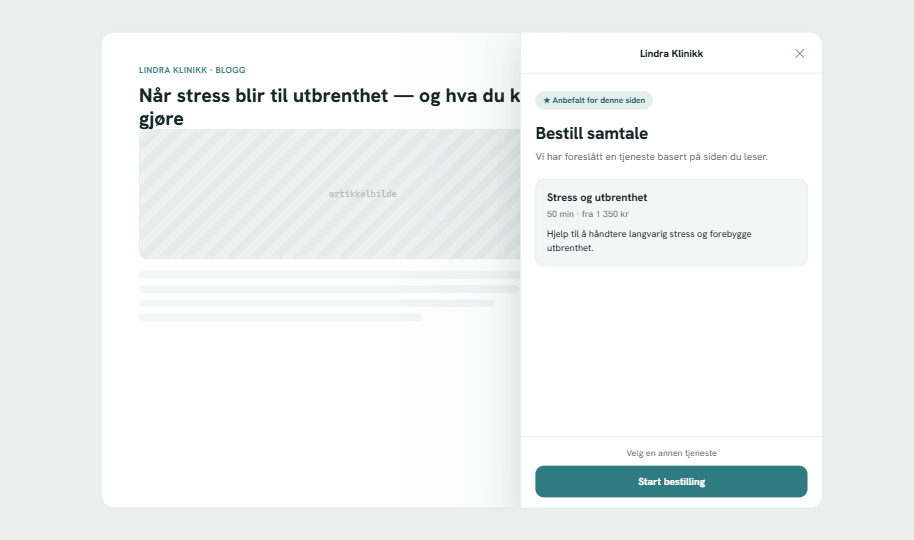
SW Konfidens Booking keeps the entire flow on your own domain, in your own brand. The customer sees a service suggested based on the page they're reading, chooses a practitioner and time, and confirms — without leaving the article. See how the widget works live on the product page.
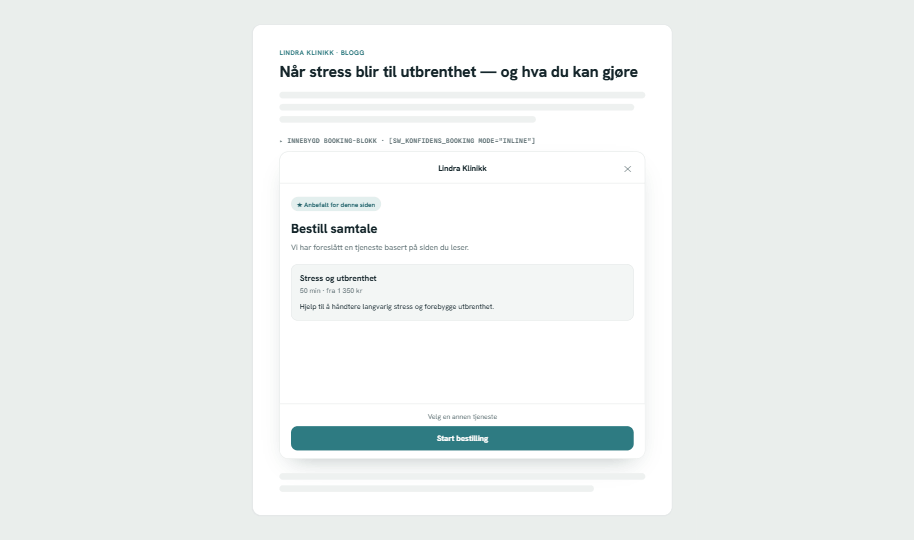
Four simple steps — from curious to booked
For the customer, the experience is calm and clear. It all happens on your page:
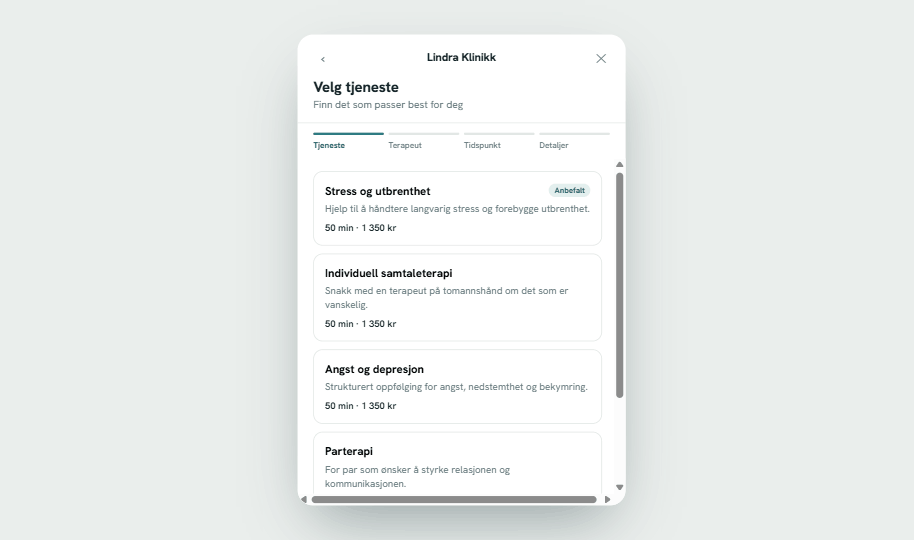
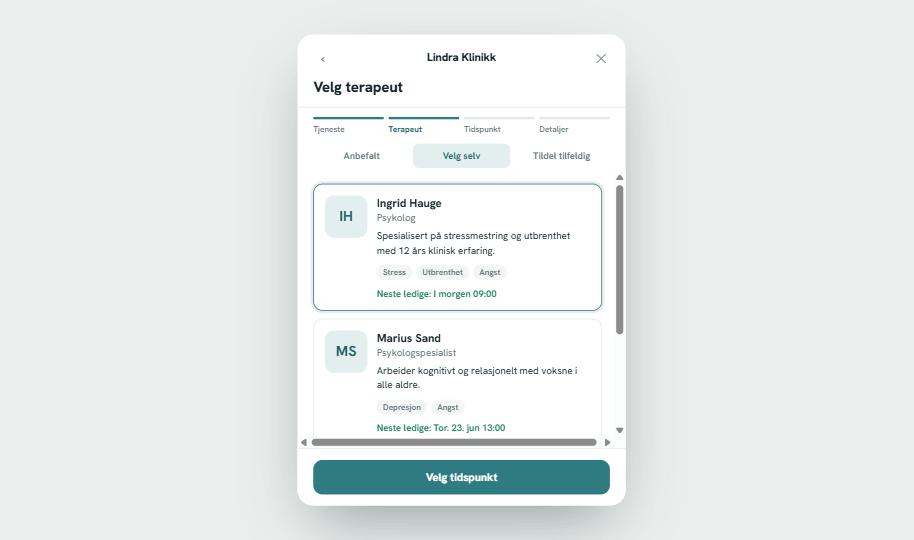
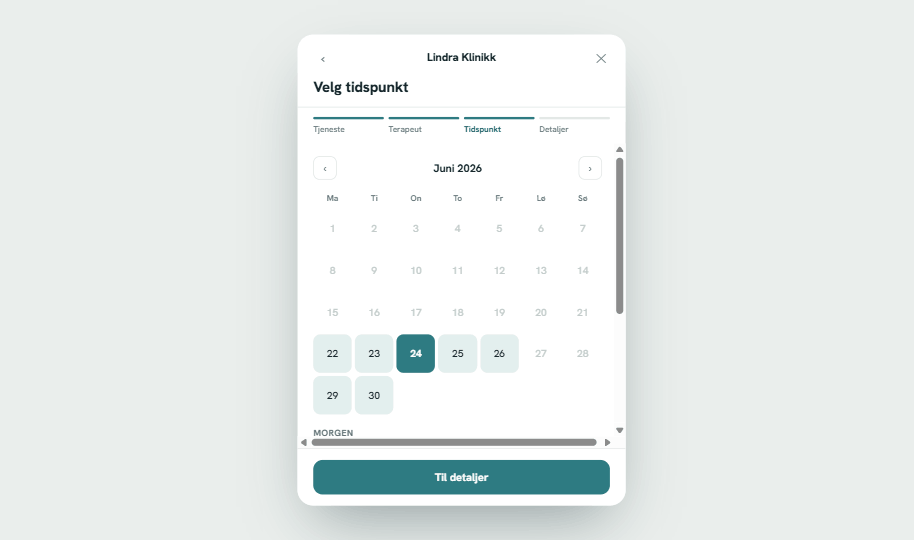
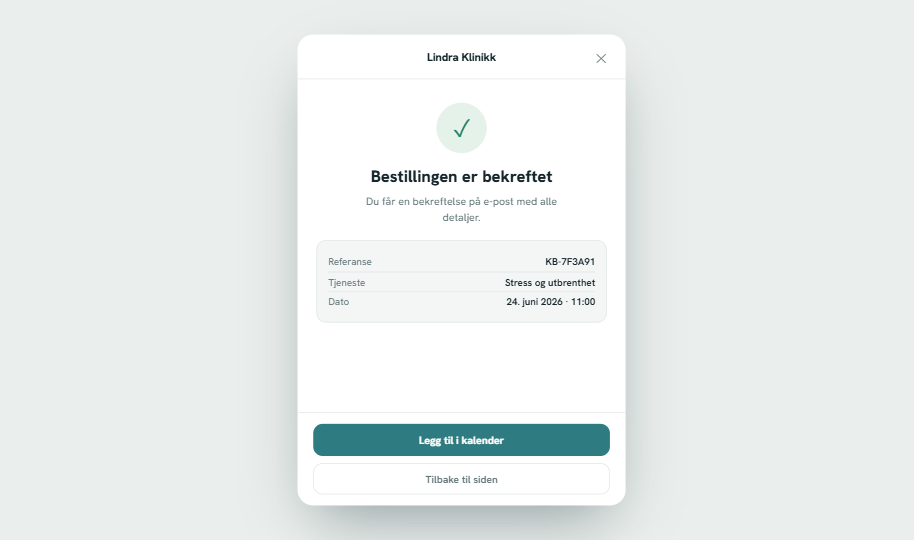
After confirmation, the customer gets everything by email automatically, and you avoid manual follow-up. Less admin, fewer empty slots.
“Every time a client has to call during opening hours, you lose some. Self-service booking captures them the moment motivation is highest.”
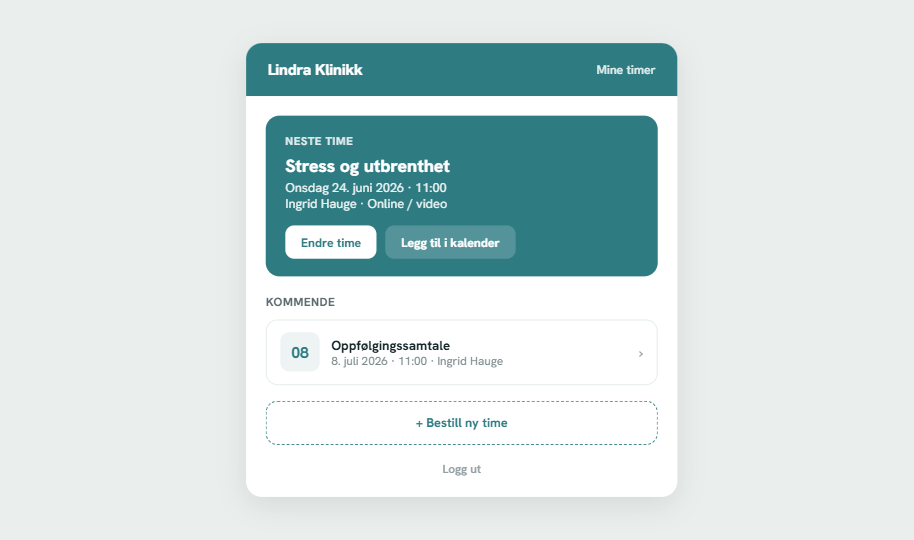
Clients can manage their own appointments
Fewer calls to reception, happier customers: with the customer portal “My appointments” the client logs in passwordless with a one-time code, sees upcoming appointments, adds them to the calendar, and reschedules or cancels themselves — when Konfidens supports it. Features are only enabled when the API allows them, so you never promise anything the system can't deliver.
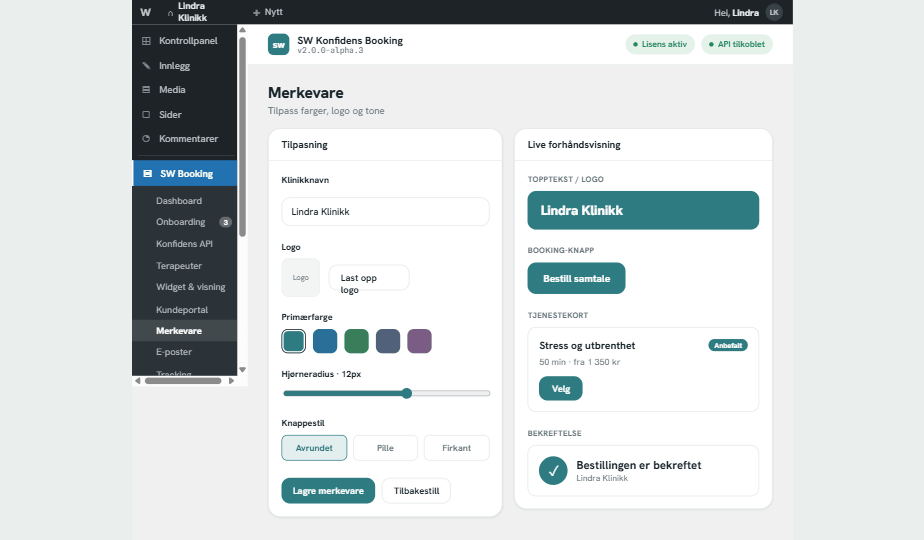
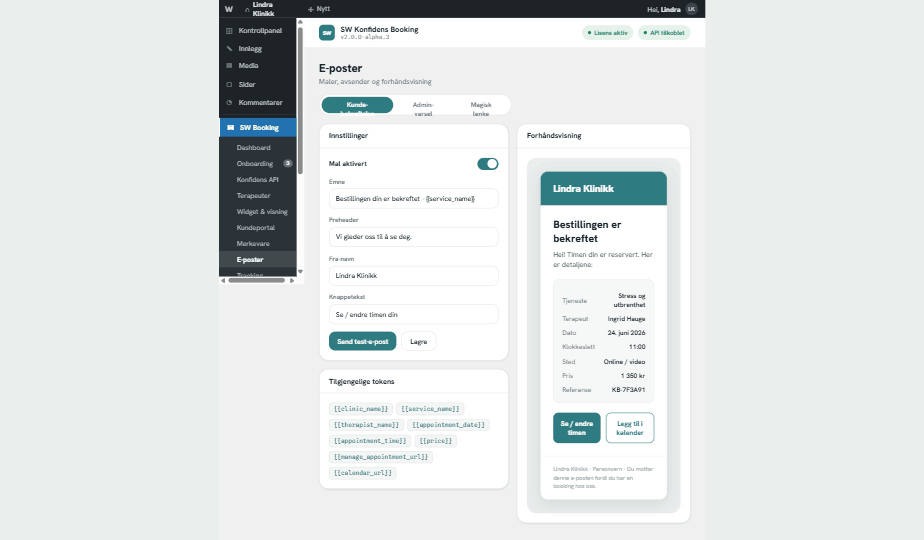
Consistently your brand — from button to email
Set colour, logo, corner radius and button style with a live preview. The same settings automatically carry over to the widget, emails, customer portal and practitioner presentation. The result feels like part of your website — not a paste-in from a foreign system.
Safe to install, safe to run
Privacy and security are built in from the ground up:
- Tokens are masked and never shown in plain text
- Personal data is redacted in admin lists
- Abuse is stopped with Cloudflare Turnstile or reCAPTCHA
- Tracking (GA4, Google Ads, Meta) never sends raw personal data to ad platforms, and consent is respected
- Data is processed in the EU, in line with GDPR
Live in under an hour — without a line of code
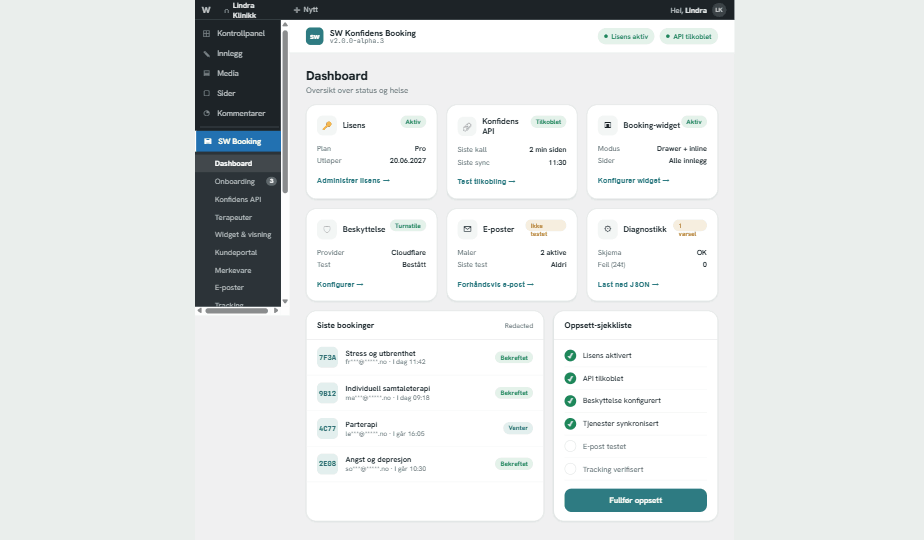
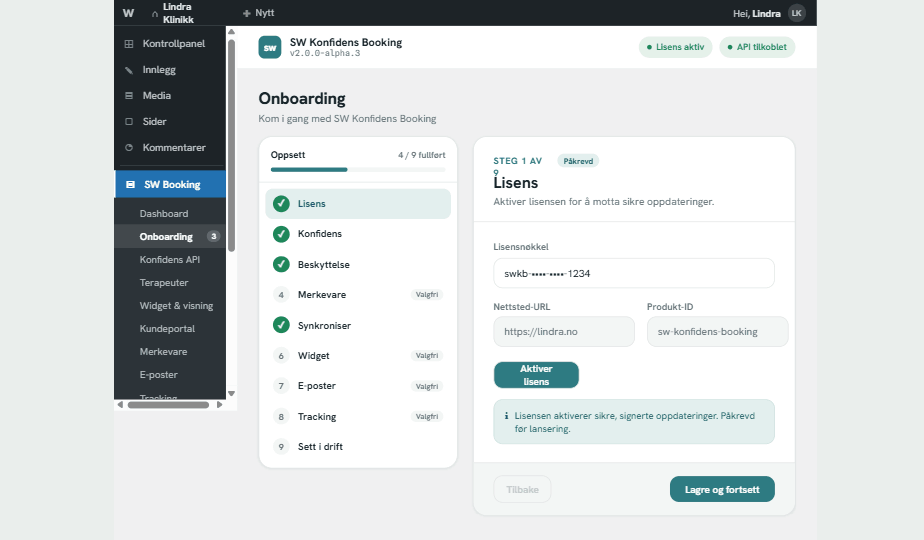
A guided setup wizard takes you through licensing, Konfidens connection, protection, branding and publishing, step by step. The widget is placed with a shortcode or Gutenberg block, and everything else is controlled with toggles and fields. If you need help, SeoWeb is happy to set it up for you.
What about the price?
Generic booking plugins typically charge NOK 500–4,400/yr — without Konfidens integration, a customer portal or Norwegian support. SW Konfidens Booking is licensed by SeoWeb with ongoing updates and support, from NOK 1,490/yr, and with no fee per booking. You also need an active Konfidens agreement. See all plans and features on the product page.
Worth knowing before you start
SW Konfidens Booking is made by SeoWeb AS and is entirely independent of Konfidens. We've built the plugin against Konfidens's public API so you can display and manage booking on your own WordPress site — but you still need your own agreement with Konfidens. The plugin ships in Norwegian bokmål out of the box, with English fallback, and you talk to us in Norwegian when you need help.