
A customer clicks a search result, an old campaign link or a bookmark — and lands on a blank “404 – page not found”. Most just hit back and disappear. Dead links cost you both visitors and rankings in Google, and they quietly pile up every time you change a URL, delete a product or move content.
404 Redirect Analyzer solves this on WordPress: the plugin logs every 404, uses AI to find the most relevant page that still exists, and suggests — or creates — a redirect. SeoWeb was commissioned to redesign the whole solution, from a dense, technical interface into something an ordinary site owner can actually use.
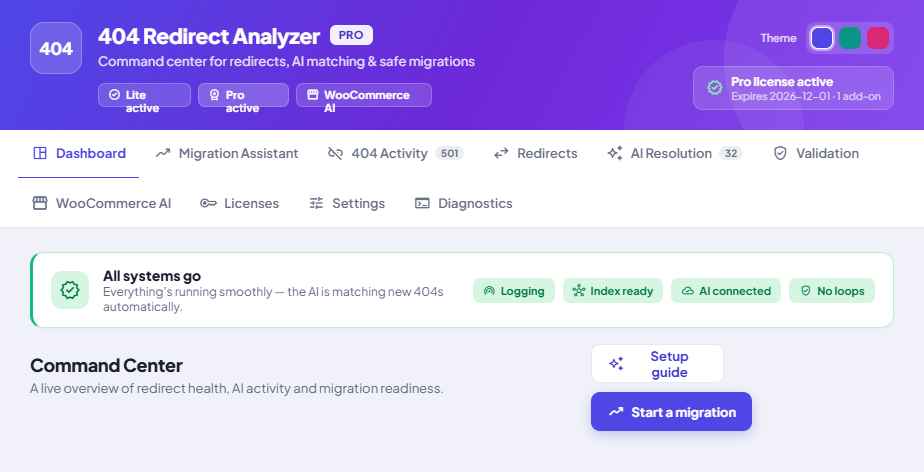
404 Redirect Analyzer is a suite of three WordPress plugins — Lite (free logging), Pro (AI engine and command center) and a WooCommerce AIadd-on. SeoWeb delivered a complete UX/UI redesign: a colourful control panel, a guided onboarding with recommended settings, and clear status signals throughout.
The challenge: a powerful tool, but hard to get started with
The original plugin could do a lot — embeddings, AI suggestions, bulk fixing, validation, migrations — but it was all spread across eight technical tabs in the standard grey WordPress look. It was hard to know what to do first, what depended on what, and whether it all actually worked. The power was there; the experience wasn't.
Our goal was easy to state, harder to achieve: keep all the functionality, but make it understandable. A colourful, calm interface where status is always communicated with colour, icon and text — never colour alone.
The AI finds the right page for every dead link
The heart of the solution is AI matching. The plugin builds a searchable index of all your content — pages, posts and products — and compares every 404 against it, by meaning, not just words. Each suggestion gets a clear confidence score: strong matches can be set up automatically, while uncertain ones are queued for your approval.
In the redesigned command center you see everything in one place: unresolved 404s, active redirects, pending AI suggestions, and the health of the index — each card colour-coded by what it means and what you should do.
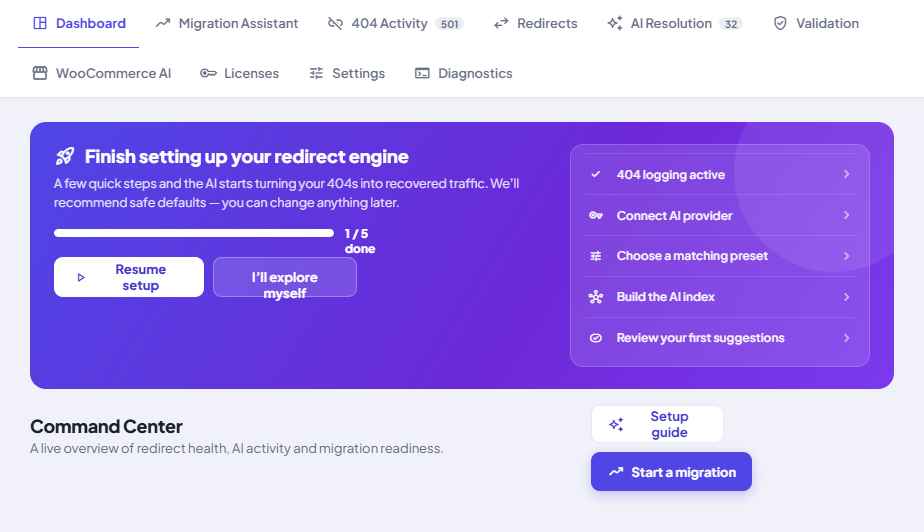
Four simple steps — from installed to self-running
The biggest UX move is a guided setup wizard. Instead of guessing, it takes you through the essentials with recommended defaults. You can change everything later:
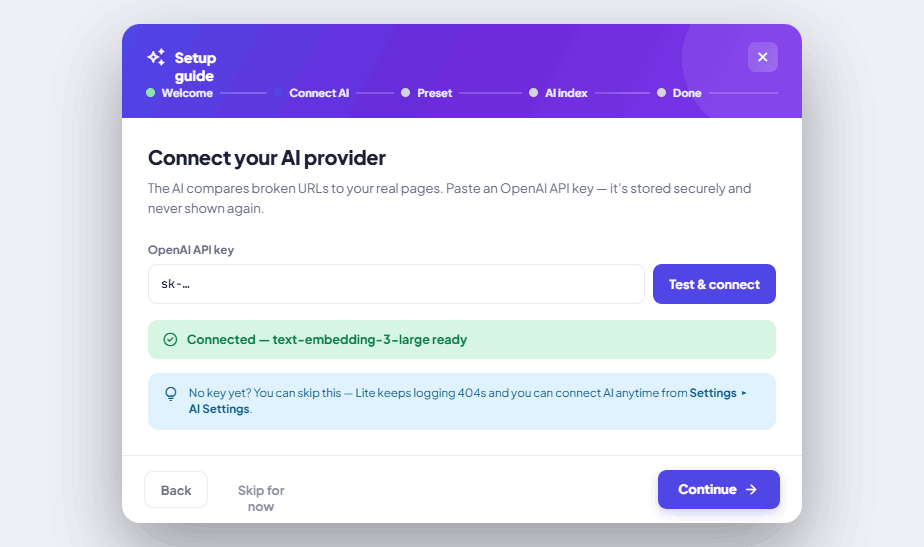
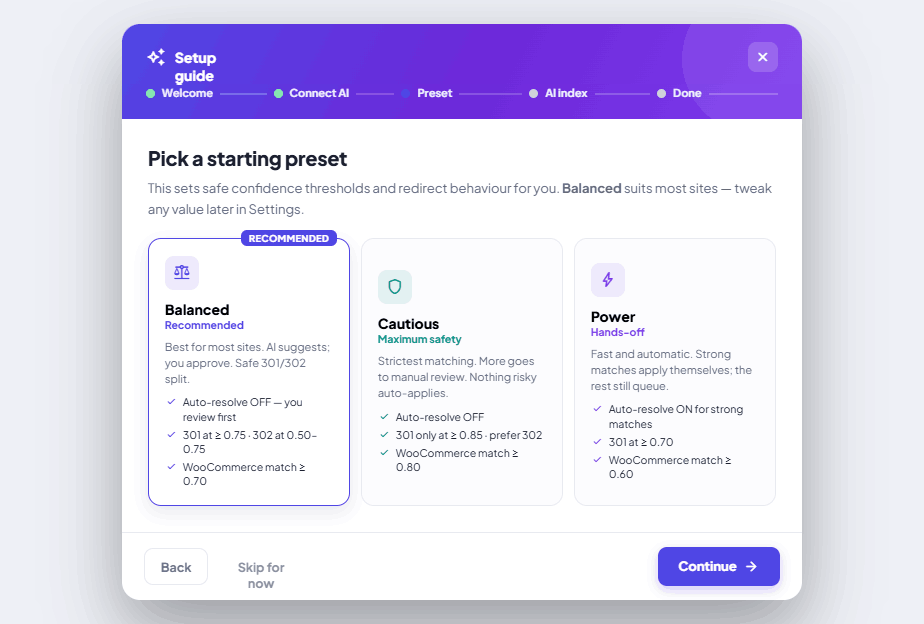
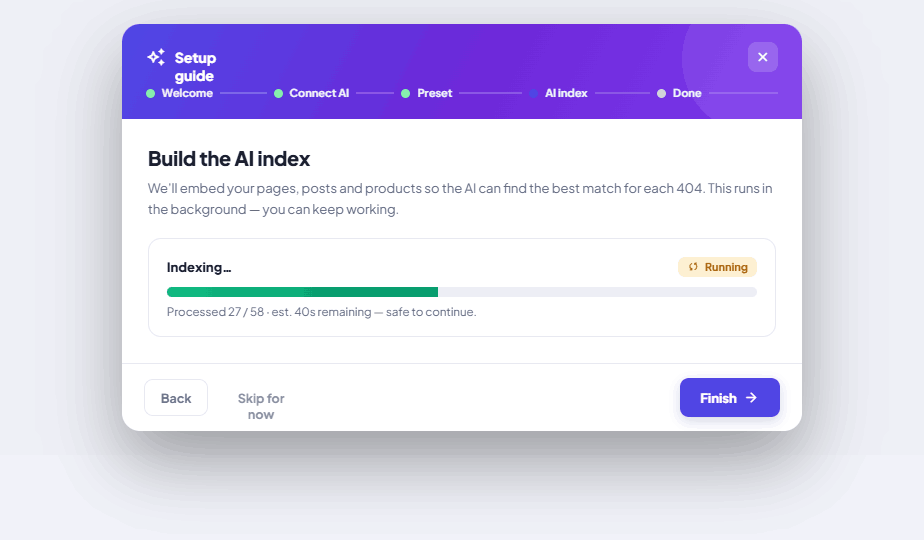
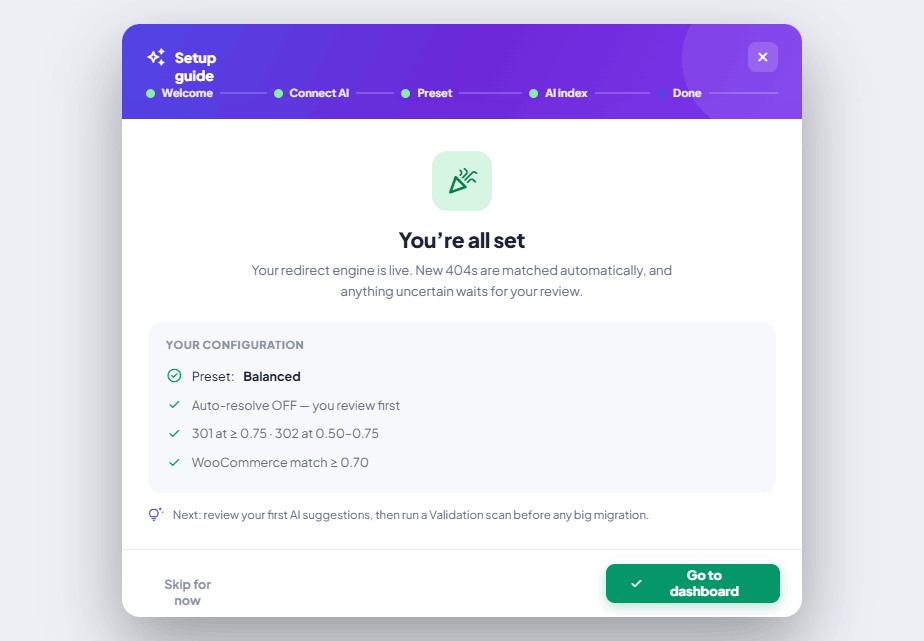
Recommended presets — Balanced, Cautious or Aggressive — set safe thresholds and redirect behaviour with one click. Most choose “Balanced” and are up and running in minutes, without understanding a single technical number.
“A powerful tool is only valuable if people can actually use it. The guided onboarding turns a complex SEO engine into something you set up on your coffee break.”
Safe migrations — without losing ranking
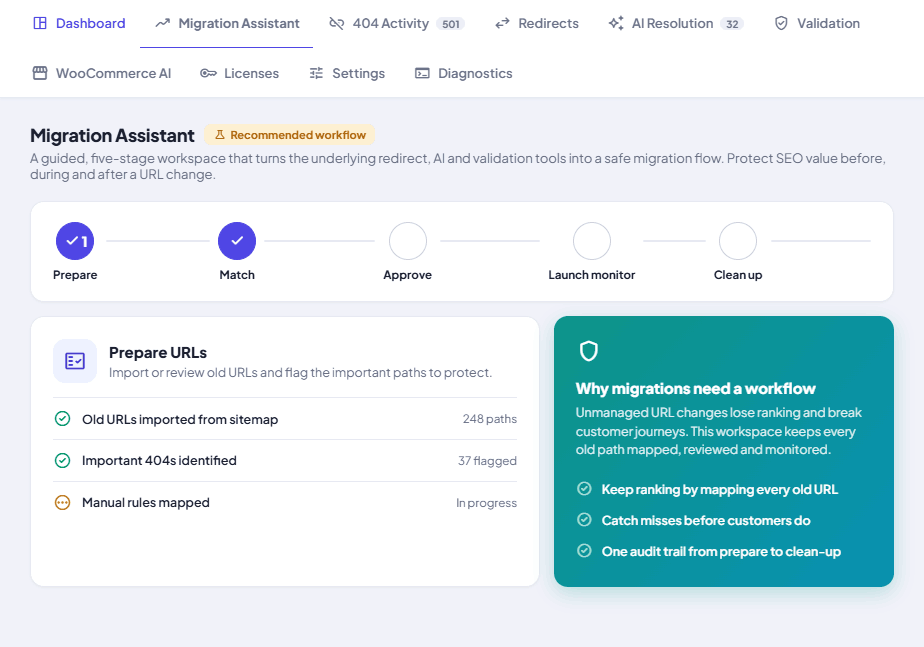
When you move or change URLs, it's easy to wreck the rankings you've built up. The migration assistant turns the underlying tools into a guided five-step workflow — prepare, match, approve, monitor, clean up — so every old address is mapped, reviewed and monitored before and after the change.
The right product — not just the right page
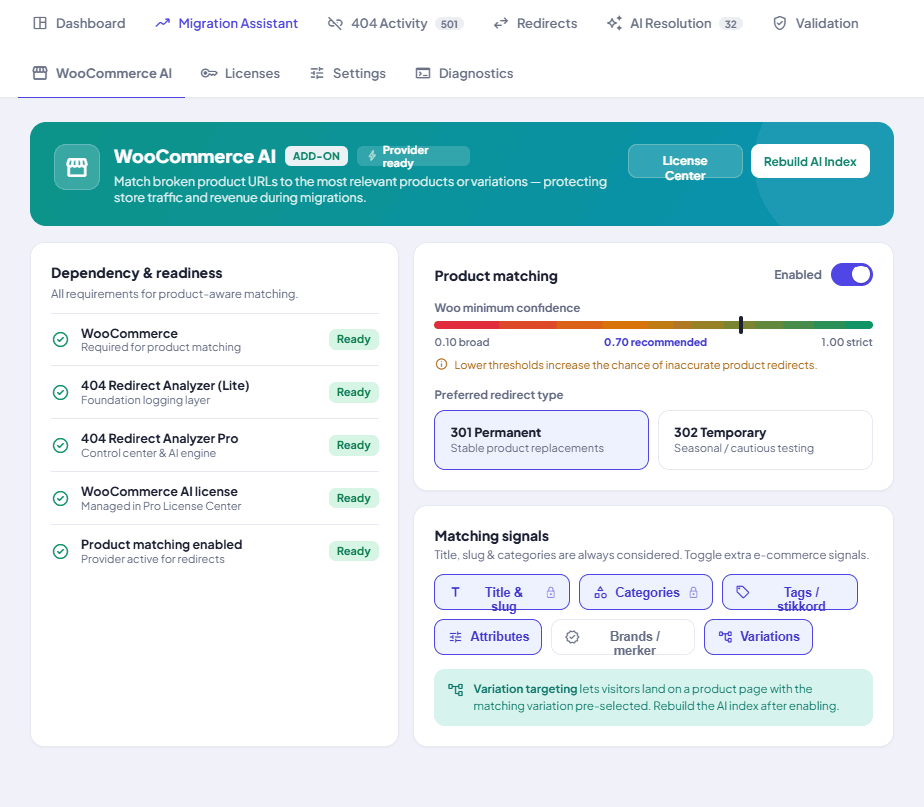
For online stores, the WooCommerce AI add-on matches dead product links to the most relevant products — right down to the correct variant. The add-on is dependency-aware: if WooCommerce, Pro or a valid licence is missing, the interface explains exactly what's missing and in what order, instead of showing a cryptic error.
Built to be safe to run
A redirect tool can do damage if allowed to. That's why safety nets are built into the design:
- Validation finds redirect loops and long chains that hurt SEO
- No action happens by accident — destructive choices always require confirmation
- Status with colour, icon and text — never colour alone, for accessibility
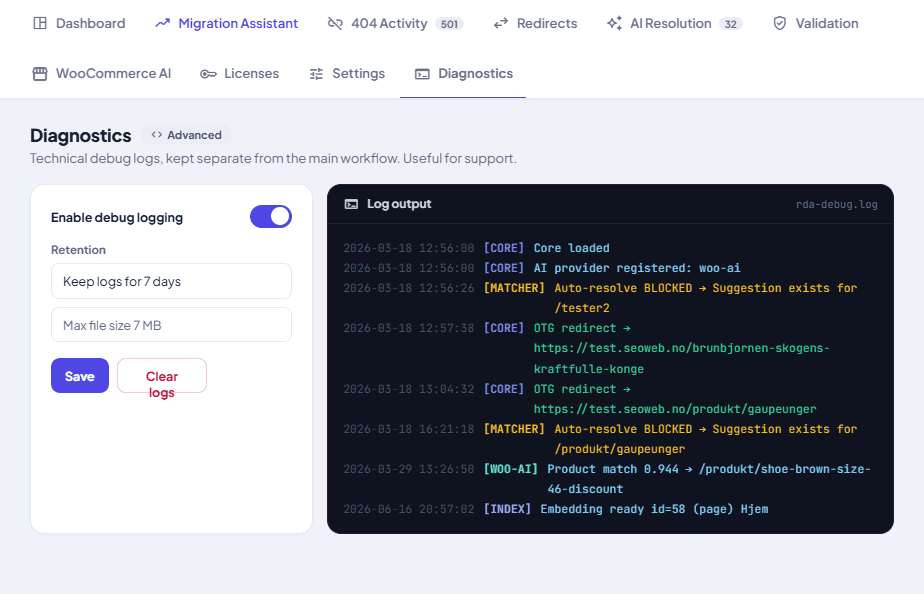
- Technical logs are kept separate in a dedicated “Diagnostics” tab, away from the daily flow
- Existing redirects keep working even if the AI is temporarily unavailable
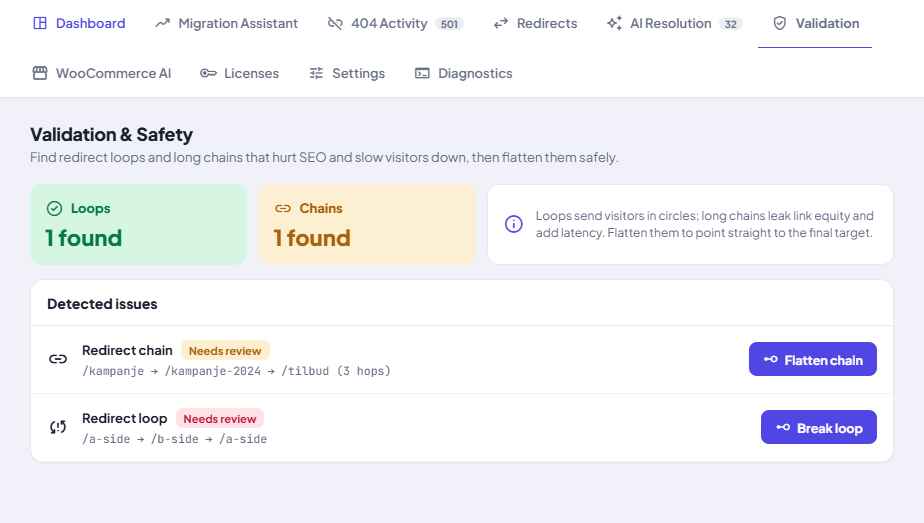
See at a glance that everything works
When setup is complete, the “get started” panel is replaced by a clear green “Everything works”field: logging active, index ready, AI connected, no loops. It removes the most common uncertainty with powerful tools — “is this actually working now?” — and gives a calm, unified health signal.
Three plugins that work together
The design treats the whole suite as one whole. Lite is the free foundation that logs 404s. If you install Pro, the command center takes over all administration, and Lite steps into the background — never two places to do the same job. WooCommerce AIadd-on layers on product matching where relevant. Each tier feels like a natural part of the same product.
The result
From a dense, technical panel to a colourful control center with guided onboarding, recommended settings and clear status signals — without removing a single feature. A powerful SEO engine that's now as easy to adopt as it is effective. This is the kind of work SeoWeb does: digital solutions that actually get used.